
IP Location

  • Blog
  • Contact
  • Legal
    • Privacy Policy
    • About
    • Affiliate Disclosure
    • Cookie Policy
Home » Blog » Network » IPv6 Basics: A Beginner’s Guide to the Next‑Generation Internet Protocol

IPv6 Basics: A Beginner’s Guide to the Next‑Generation Internet Protocol

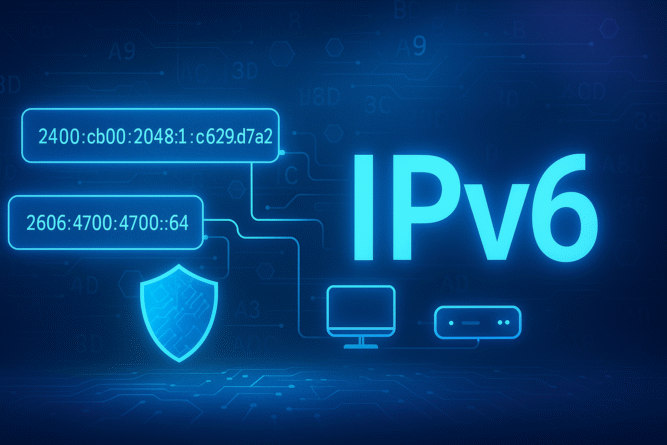
“Futuristic illustration with bold IPv6 text, sample hexadecimal addresses, and a shield icon representing a beginner’s guide to IPv6 networking.”

The internet is running out of IPv4 addresses. Enter IPv6, a 128‑bit protocol capable of assigning trillions of unique addresses to every sensor, phone, and coffee maker on the planet. Yet many home users and even IT pros still hesitate to enable it. This beginner‑friendly guide breaks down IPv6 basics: why it matters, how it’s formatted, and how to deploy it safely on your home or small‑business network.


1. Why Do We Need IPv6?

  • Address exhaustion: IPv4 offers ~4.3 billion addresses; IoT alone surpasses that.
  • Simpler routing: Aggregated prefixes reduce global BGP tables.
  • Built‑in security: IPSec is mandatory in IPv6 stacks.
  • Auto‑configuration: Stateless Address Autoconfiguration (SLAAC) makes plug‑and‑play a reality.
  • End‑to‑end connectivity: Eliminates NAT complexity, enabling true peer‑to‑peer apps.

2. IPv4 vs IPv6: Quick Comparison

FeatureIPv4IPv6
Address length32‑bit (e.g., 192.0.2.1)128‑bit (e.g., 2001:0db8:85a3::8a2e:370:7334)
Total addresses4.3 billion340 undecillion (3.4×10³⁸)
ConfigurationDHCP/manualSLAAC, DHCPv6, manual
Built‑in securityOptional IPSecMandatory IPSec support
Header complexitySimpleExtended with extension headers
NAT requiredCommonNot required

3. Anatomy of an IPv6 Address

  • Hexadecimal notation: Eight groups of four hex digits separated by colons.
  • Leading‑zero suppression: 2001:0db8:0000:0042 → 2001:db8:0:42.
  • Zero compression: A single :: can replace consecutive all‑zero groups.
  • Prefix length: Written with / CIDR notation, e.g., 2001:db8:1234::/48.

Address Types

  1. Unicast – one‑to‑one communication (Global, Link‑Local, Unique Local).
  2. Multicast – one‑to‑many (ff00::/8 range).
  3. Anycast – one‑to‑nearest (same address on multiple nodes).

4. How IPv6 Auto‑Configuration Works

  1. Link‑Local address creation using the fe80::/10 prefix + interface ID.
  2. Router Advertisement (RA) messages broadcast the network prefix and flags.
  3. Duplicate Address Detection (DAD) ensures uniqueness.
  4. Optional DHCPv6 supplies DNS, domain, and other options.

Tip: Modern operating systems prefer SLAAC + DNS via Recursive DNS Server (RDNSS) in the RA—no DHCPv6 needed for basic setups.


5. Enabling IPv6 on Popular Platforms

  • Windows 11/10 – Enabled by default; verify via ipconfig /all.
  • macOS Ventura/Sonoma – System Settings → Network → Details → TCP/IP.
  • Ubuntu 22.04+ – Netplan auto‑enables SLAAC; edit /etc/netplan/*.yaml for static.
  • pfSense/OPNsense – Interfaces → WAN → IPv6 Configuration: choose DHCPv6 or Track Interface.
  • Home routers (TP‑Link/ASUS/Ubiquiti) – Look for IPv6 tab; enable Native or Passthrough mode and reboot.

6. Security Considerations

RiskMitigation
Open inbound ports (no NAT)Stateful firewall rules on edge router
Rogue Router AdvertisementsEnable RA Guard / IPv6‑First Hop Security
IPv6 tunneling abuse (6to4, Teredo)Disable unused transition mechanisms
Dual‑stack complexityMirror IPv4 rules in IPv6; audit both stacks

Remember: IPv6 is not inherently less secure—misconfiguration is the real threat.


7. Testing IPv6 Connectivity

  • Visit test-ipv6.com – full score indicates proper setup.
  • Ping a v6 host: ping -6 google.com.
  • DNS check: ensure AAAA records resolve (nslookup -type=AAAA example.com).
  • Trace route: tracert -6 2001:4860:4860::8888 (Windows) or traceroute6 (Linux).

8. Common Myths Debunked

  1. “IPv6 is slower.” – Typically faster due to fewer NAT hops.
  2. “I can’t use IPv6 with my VPN.” – Modern VPNs (WireGuard, OpenVPN 2.6) fully support dual‑stack.
  3. “IPv6 breaks port‑forwarding.” – You can still forward specific ports; you just don’t need NAT.
  4. “I must renumber all devices.” – SLAAC and DHCPv6 handle addressing automatically.

9. IPv6‑Ready Hardware Recommendations

Device TypeModelKey IPv6 FeaturesAmazon
RouterASUS RT‑AX88U ProNative IPv6, DHCPv6‑PD, firewall & RA guardBuy
Firewall ApplianceUbiquiti UniFi Gateway Pro2×10G SFP+, dual WAN, full IPv6 routing & IDSBuy

Outbound Links:

  • Official IPv6 FAQ (IETF)
  • test‑ipv6.com

Internal Links:

  • Top 5 Secure Public DNS Services
  • VPN vs Proxy Explained

Grasping IPv6 basics prepares you for the future of networking. With exponentially more addresses, simplified peer‑to‑peer connectivity, and mandatory security features, IPv6 is ready today. Enable it on your router, verify with online tests, and enjoy a future‑proof, scalable internet experience.

May 19, 2025iplocation
Top 5 Secure Public DNS Services You Should Use in 2025Home Wi‑Fi Hardening: 15 Security Steps to Lock Down Your Network in 2025
You Might Also Like
 
The Rise of AI Consciousness: Are We Creating Sentient Machines?
 
The AI PC Revolution: How AI-Powered Computers Are Changing Everything in 2025
11 months ago Cybersecurity, Network Future Technology, Network0
Facebook Link
Mi Página con Widget de Facebook
Recent Posts
  • Hiseeu 4G Security Camera – Outdoor Protection Without WiFi or Wires July 17, 2025
  • Retractable Car Charger 120W with Starry Light – Best 4-in-1 USB Charger for Cars June 24, 2025
  • 🦷 MySmile Teeth Whitening Light – Brighten Your Smile in Just 10 Minutes a Day! June 19, 2025
Most Commented
Smartphone screen showing geolocation tracking on a digital map
The Geolocation Obsession: Why Young People Want to Know Where You Are All the Time
Dark tech image titled How AI Is Changing Cybersecurity in 2025 with an AI chip and lock icon.
How AI Is Changing Cybersecurity in 2025
Futuristic image depicting AI and cryptocurrency analysis in 2025 with vibrant colors and a digital interface.
How AI Is Transforming Cryptocurrency Analysis in 2025
About

“Iplocation.us” is an online service that offers geographical information linked to a particular IP address, focusing on addresses in the United States. Users can retrieve details such as country, state, city, postal code, and internet service provider. The service serves various purposes, including enhancing online security, customizing content based on location, and analyzing web traffic.

Most Viewed
Hiseeu 4G solar security camera with motion detection for remote outdoor surveillance
Hiseeu 4G Security Camera – Outdoor Protection Without WiFi or Wires
32 views
AI tools for professionals displayed on modern interface
Top AI Tools for Professionals in 2025: Boost Your Productivity with Smart Tech
28 views
Futuristic image depicting AI and cryptocurrency analysis in 2025 with vibrant colors and a digital interface.
How AI Is Transforming Cryptocurrency Analysis in 2025
21 views
Archives
  • July 2025 (1)
  • June 2025 (13)
  • May 2025 (12)
  • February 2025 (8)
  • August 2024 (1)
  • March 2024 (1)
  • February 2024 (4)
  • January 2024 (1)
Email subscription

Sign up for our newsletter to receive the latest news and event postings.

2024 © IP Location
Manage Consent
To provide the best experiences, we use technologies like cookies to store and/or access device information. Consenting to these technologies will allow us to process data such as browsing behavior or unique IDs on this site. Not consenting or withdrawing consent, may adversely affect certain features and functions.
Functional Always active
The technical storage or access is strictly necessary for the legitimate purpose of enabling the use of a specific service explicitly requested by the subscriber or user, or for the sole purpose of carrying out the transmission of a communication over an electronic communications network.
Preferences
The technical storage or access is necessary for the legitimate purpose of storing preferences that are not requested by the subscriber or user.
Statistics
The technical storage or access that is used exclusively for statistical purposes. The technical storage or access that is used exclusively for anonymous statistical purposes. Without a subpoena, voluntary compliance on the part of your Internet Service Provider, or additional records from a third party, information stored or retrieved for this purpose alone cannot usually be used to identify you.
Marketing
The technical storage or access is required to create user profiles to send advertising, or to track the user on a website or across several websites for similar marketing purposes.
  • Manage options
  • Manage services
  • Manage {vendor_count} vendors
  • Read more about these purposes
View preferences
  • {title}
  • {title}
  • {title}