
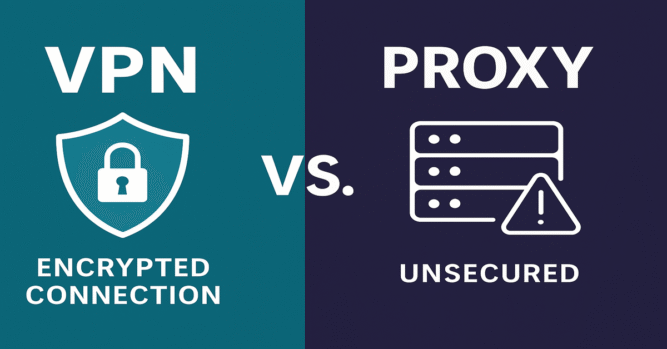
As online privacy becomes increasingly important in 2025, many users are turning to tools like VPNs and Proxies to protect their identity and secure their internet connection. While both serve to mask your IP address and provide some level of anonymity, they function differently and cater to different needs. In this article, we’ll compare VPN vs Proxy services across various factors to help you make the best choice for your digital lifestyle.
1. What Is a Proxy Server? A Proxy server acts as an intermediary between your device and the internet. When you use a proxy, your internet requests are routed through the proxy server, which masks your real IP address.
Types of Proxy Servers:
- HTTP Proxy: Works only for web-based traffic.
- SOCKS Proxy: Handles all types of traffic (e.g., torrenting, games) but tends to be slower.
- Transparent Proxy: Reveals your IP and is often used for filtering content.
Use Cases for Proxies:
- Accessing geo-blocked websites
- Managing multiple social media accounts
- Basic online anonymity
Limitations:
- No encryption of data
- Easily detectable by websites
- Doesn’t protect all device traffic
2. What Is a VPN? A VPN (Virtual Private Network) encrypts all your internet traffic and routes it through a secure server in a different location. This masks your IP address and secures your data from potential threats.
How VPNs Work:
- Encrypt data using strong protocols (e.g., OpenVPN, WireGuard)
- Route all device traffic through a secure tunnel
- Assign a new IP address from the VPN server
Benefits of Using a VPN:
- Full-device encryption
- Enhanced privacy and security on public Wi-Fi
- Bypass firewalls and censorship
- Access streaming content from other countries
3. VPN vs Proxy: Key Differences
| Feature | VPN | Proxy |
|---|---|---|
| Encryption | Yes | No |
| Speed | Slightly slower due to encryption | Faster, but less secure |
| Device Coverage | Entire device | Specific apps or browsers only |
| Privacy Protection | High | Basic |
| Bypassing Geo-blocks | Effective for all content types | Limited effectiveness |
| Cost | Often paid (some free options) | Many free options available |
Top 4 Devices Compatible with OpenVPN and WireGuard
| Producto | Características clave | Ideal para | Enlace |
|---|---|---|---|
|
ASUS RT-AX55 |
Wi-Fi 6 AX1800 Servidor OpenVPN & WireGuard WPA3 + AiProtection |
Hogares < 150 m² que quieren montar su propia VPN | Ver precio ↗ |
|
TP-Link ER605 (Omada) |
Gigabit VPN Gateway WireGuard · IPsec · OpenVPN Gestión Omada Cloud |
Pequeñas oficinas con múltiples subredes y VLAN | Ver precio ↗ |
|
Firewalla Gold SE |
Firewall IDS/IPS + Ad-block 4× 2.5 GbE · VLAN · Geo-fencing App iOS/Android |
Familias que buscan seguridad todo-en-uno sin complejidad | Ver precio ↗ |
|
MikroTik hEX S |
RouterOS 7 · IPsec hardware offload SFP + 5× Gigabit Scripts avanzados |
Usuarios power-user que quieren máximo control por CLI | Ver precio ↗ |
Disclosure: As an Amazon Associate, we earn from qualifying purchases. Prices may vary.
4. VPN vs Proxy: Which Should You Use? Choosing between a VPN and a Proxy depends on your needs:
Choose a VPN if you:
- Want full security and encryption
- Use public Wi-Fi regularly
- Need to access sensitive data
- Want to stream content from different regions
Choose a Proxy if you:
- Need to change your IP quickly for low-risk tasks
- Are managing multiple online accounts
- Want a lightweight solution for basic web access
Hybrid Use: Some users combine VPNs and proxies. For example, a user might use a proxy for web scraping or testing geo-targeted content, and a VPN for secure personal browsing.
5. Risks and Limitations Proxy Risks:
- Free proxies may log your data or inject ads
- No security on public Wi-Fi
- Not suitable for banking or private information
VPN Limitations:
- May reduce internet speed
- Good services often require a subscription
- Some VPNs keep logs (choose a no-log provider)
6. VPN vs Proxy for Streaming and Gaming If you’re using streaming platforms like Netflix, Hulu, or BBC iPlayer, most proxies will fail to bypass geo-restrictions as they can be easily detected. VPNs with dedicated IPs and obfuscation features are better for reliable access.
For gaming, proxies may offer slightly faster ping but no security. VPNs add latency but protect against DDoS attacks, especially for streamers and competitive players.
7. Popular VPN and Proxy Providers Top VPN Providers:
-
Protect all your devices with powerful encryption, lightning-fast speeds, and access to thousands of servers worldwide.
Try NordVPN risk-free with a 30-day money-back guarantee.
Keep your browsing truly private — get NordVPN today and save up to 67 % ↗ - ExpressVPN
- Surfshark
Popular Proxy Tools:
- Smartproxy
- ProxyMesh
- KProxy
VPN-Compatible Routers on Amazon:
- TP-Link AX1800 Smart WiFi 6 VPN Router (Archer AX21) – Affordable and easy-to-configure VPN support for home use.
- ASUS RT-AX88U Pro WiFi 6 VPN Router – Powerful dual-band router with built-in VPN client/server capabilities.
Outbound Links:
Internal Links:
In the debate of VPN vs Proxy, there is no one-size-fits-all answer. For full security and peace of mind, a VPN is the better option—especially in today’s privacy-conscious environment. However, proxies still serve a purpose for simple, low-risk activities. Understanding the strengths and limitations of each will help you stay protected and productive online.
Most Commented