
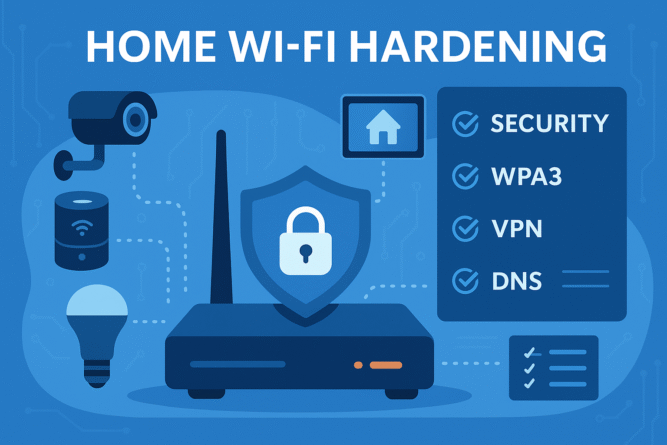
Your wireless router is the front door to every smart speaker, laptop, and security camera you own. Yet default settings leave many home networks wide‑open to attackers running wardriving scans, brute‑forcing weak passwords, or exploiting outdated firmware. This in‑depth guide covers home Wi‑Fi hardening—a step‑by‑step checklist to transform any consumer router into a secure fortress without sacrificing speed or convenience.
1. Upgrade to a WPA3‑Capable Router
- Why it matters: WPA3 replaces the vulnerable WPA2‑PSK four‑way handshake with Simultaneous Authentication of Equals (SAE), resisting offline dictionary attacks.
- Action: Verify your router lists “WPA3‑Personal” or buy a model released 2022‑present.
Recommended routers (Amazon):
| Tier | Model | Key Security Features | Link |
|---|---|---|---|
| Entry | TP‑Link Archer AX21 | WPA3, automatic firmware, guest network | Buy |
| Mid | ASUS RT‑AX88U Pro | WPA3, AiProtection Pro IDS/IPS, VPN client/server | Buy |
| Pro | Netgear Nighthawk RAXE300 | Tri‑band Wi‑Fi 6E, WPA3, Netgear Armor powered by Bitdefender | Buy |
2. Change Default Admin Credentials
| Setting | Weak Default | Hardened Example |
| Username | admin | netadmin‑jdoe |
| Password | password / 123456 | 20‑character unique passphrase generated by a password manager |
Disable “admin via Wi‑Fi” if possible and require HTTPS for the web UI.
3. Keep Firmware Automatically Updated
- Enable auto‑update or schedule monthly manual checks.
- Subscribe to vendor security bulletins for zero‑day alerts.
Tip: If your router no longer receives updates, replace it—unpatched routers are prime botnet targets.
4. Disable WPS and Legacy Protocols
- Turn off Wi‑Fi Protected Setup (WPS)—PIN brute‑force tools crack it in minutes.
- Disable TKIP and WEP; only AES‑CCMP is secure.
- Remove support for 802.11b to shrink attack surface.
5. Use a Strong SSID Strategy
- Avoid personal info (e.g., SmithFamily)—use something non‑identifiable like Nebula‑Net‑73.
- Broadcasting SSID is fine; hiding it offers no real security and can break roaming.
6. Segregate IoT on a Guest or VLAN Network
| Segment | Devices | VLAN ID | Internet Access | LAN Access |
| HomeLAN | PCs, phones | 10 | ✅ | ✅ |
| IoTLAN | Cameras, bulbs | 20 | ✅ | ❌ |
| Guests | Visitors’ phones | 30 | ✅ | ❌ |
Most modern routers let you map Guest SSID to its own VLAN or at least block intra‑client traffic.
7. Enable DNS Filtering & Encrypted DNS
- Configure DNS‑over‑HTTPS (DoH) or DNS‑over‑TLS (DoT) pointing to Cloudflare 1.1.1.2 or Quad9 9.9.9.9 for malware blocking.
- Routers like ASUS and Ubiquiti support DoT at gateway level.
8. Activate Router Firewall & IDS/IPS
- Make sure the stateful packet inspection (SPI) firewall is ON.
- Routers with Trend Micro (ASUS), Armor (Netgear) or Suricata (OpnSense) offer intrusion prevention.
9. Limit Remote Management
| Feature | Recommended Setting |
| Remote Web UI | Disabled (use VPN instead) |
| UPnP | Off or restricted to necessary ports |
| Cloud Control | 2FA enabled |
10. Set Up a Site‑to‑Site or Mobile VPN
- Configure WireGuard or OpenVPN server on the router to access LAN resources safely from coffee shops.
- Use strong RSA‑4096 or Curve25519 keys.
11. Implement MAC and DHCP Static Lists (Optional)
- Create static DHCP reservations for trusted MAC addresses.
- While MAC filtering is spoofable, it adds friction for casual attackers.
12. Monitor Logs and Bandwidth
- Enable syslog to an external server (e.g., Raspberry Pi) to preserve logs if router is rebooted.
- Review monthly for unusual spikes or foreign IP connections.
13. Use Strong Wi‑Fi Password Hygiene
| Network | Length | Type |
| HomeLAN | ≥ 16 chars | Random alphanumeric + symbols |
| IoTLAN | ≥ 20 chars | Random, rotate yearly |
| Guest | QR code only, expires every 30 days |
14. Disable Unused Services
Turn off FTP, SMBv1, DLNA, or printer servers if not in use. Fewer open ports = smaller attack surface.
15. Periodic Pen‑Testing With Mobile Apps
- Use WiFiman, Fing, or Acrylic Wi‑Fi to scan for rogue APs and verify encryption.
- Run nmap -6 from a laptop to ensure IPv6 firewall rules mirror IPv4.
Quick Reference Checklist
Print this checklist and tape it to your server rack or fridge 🔒
Outbound Links:
Internal Links:
By following these 15 steps, your home Wi‑Fi hardening process moves from “good enough” to “paranoid‑grade” without breaking Netflix or your smart doorbell. A few hours of configuration today can prevent identity theft, ransomware, or awkward neighbors piggybacking your bandwidth tomorrow.
Most Commented